Every cost its own rule
Fixed quota or proportional to income — chosen per item, never assumed. The household default only pre-fills the form.
Two incomes, one household, one clear plan.
The household planner for people who share costs unevenly — and want the maths to be right. Rent by income, electricity down the middle, the gym only one of you uses. Every item gets its own rule, and both of you see what it costs while you type.
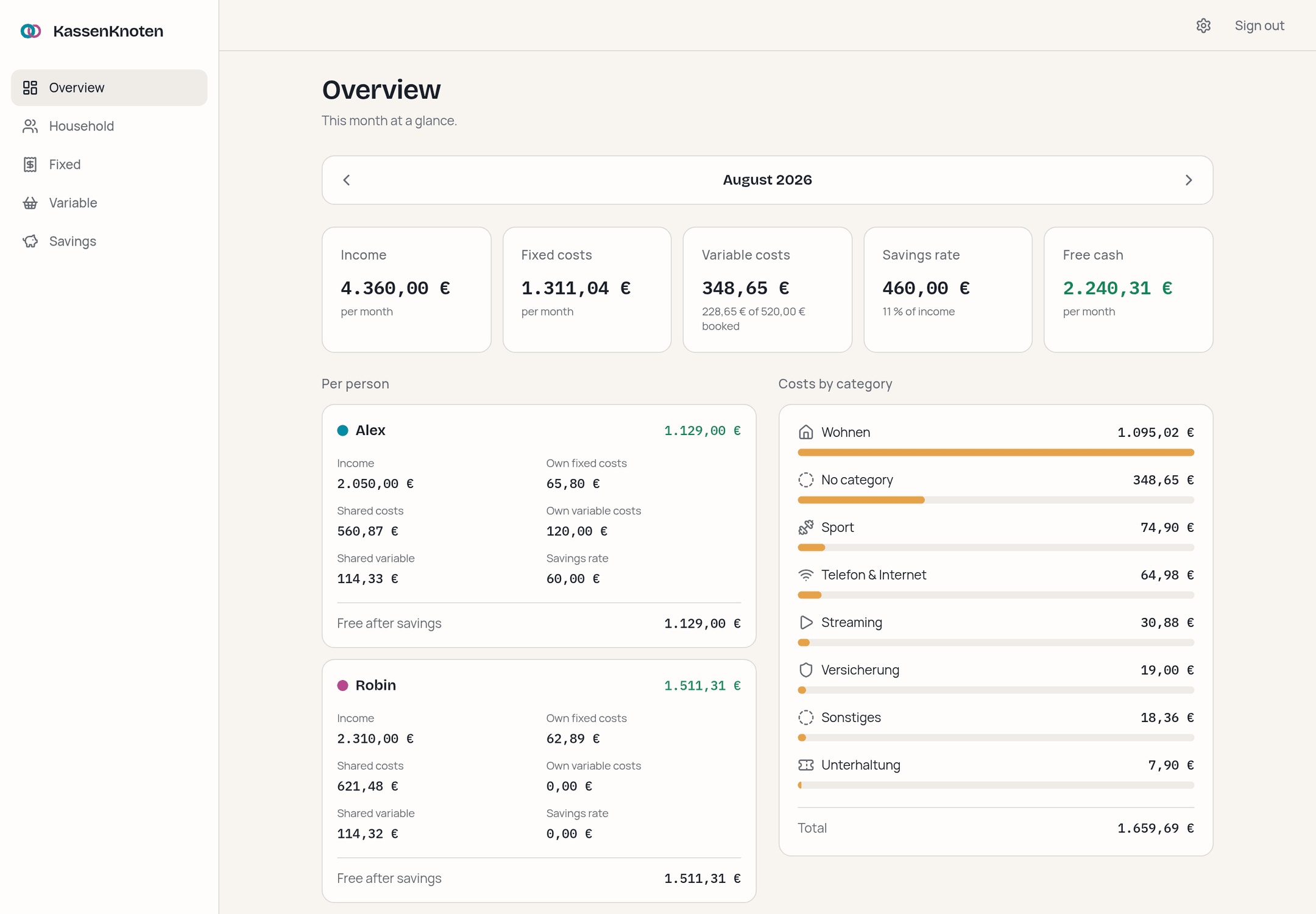
The problem
Splitting apps assume one rule for everything. Spreadsheets can express it — until one cell slips and the formula is quietly wrong for months. KassenKnoten makes the split a deliberate choice per item, computes it to the cent, and shows you the result while you type.
Fixed quota or proportional to income — chosen per item, never assumed. The household default only pre-fills the form.
Amounts are whole cents, shares are basis points. 39,99 € down the middle becomes 20,00 € and 19,99 € — never 39,98 €. The calculation engine is a pure, tested module.
Every entry carries the months it applies to. A raise in September leaves August reporting August — and the app asks whether a change is new from now on or was always true.
Groceries, fuel, going out: either the plan counts — or every receipt with its date, and the plan becomes the budget you measure against.
A 132,00 € yearly insurance sits next to everything else as 11,00 € a month. Nobody divides by twelve in their head again.
Savings pots with a monthly rate, a balance and an optional target — owned by one person or by the household.
Negative free cash, a savings rate above income, an overspent budget — as a calm banner, not a modal. Deleting offers “Undo” instead of asking “are you sure?”.
Own icon on the home screen, opens without an address bar. Browsers that cannot install a web app are told where the option lives in their own menu.
Chosen when you set up and changed whenever you like. The language belongs to the household, not to a browser — the tablet in the kitchen speaks the same one as the laptop.
Upload an extension and it contributes cards to the overview. It runs on your server with full access — install only what you have read, or what comes from someone you trust.
One SQLite file on a volume you control. Versioned JSON backups and CSV export; restoring runs in a single transaction.
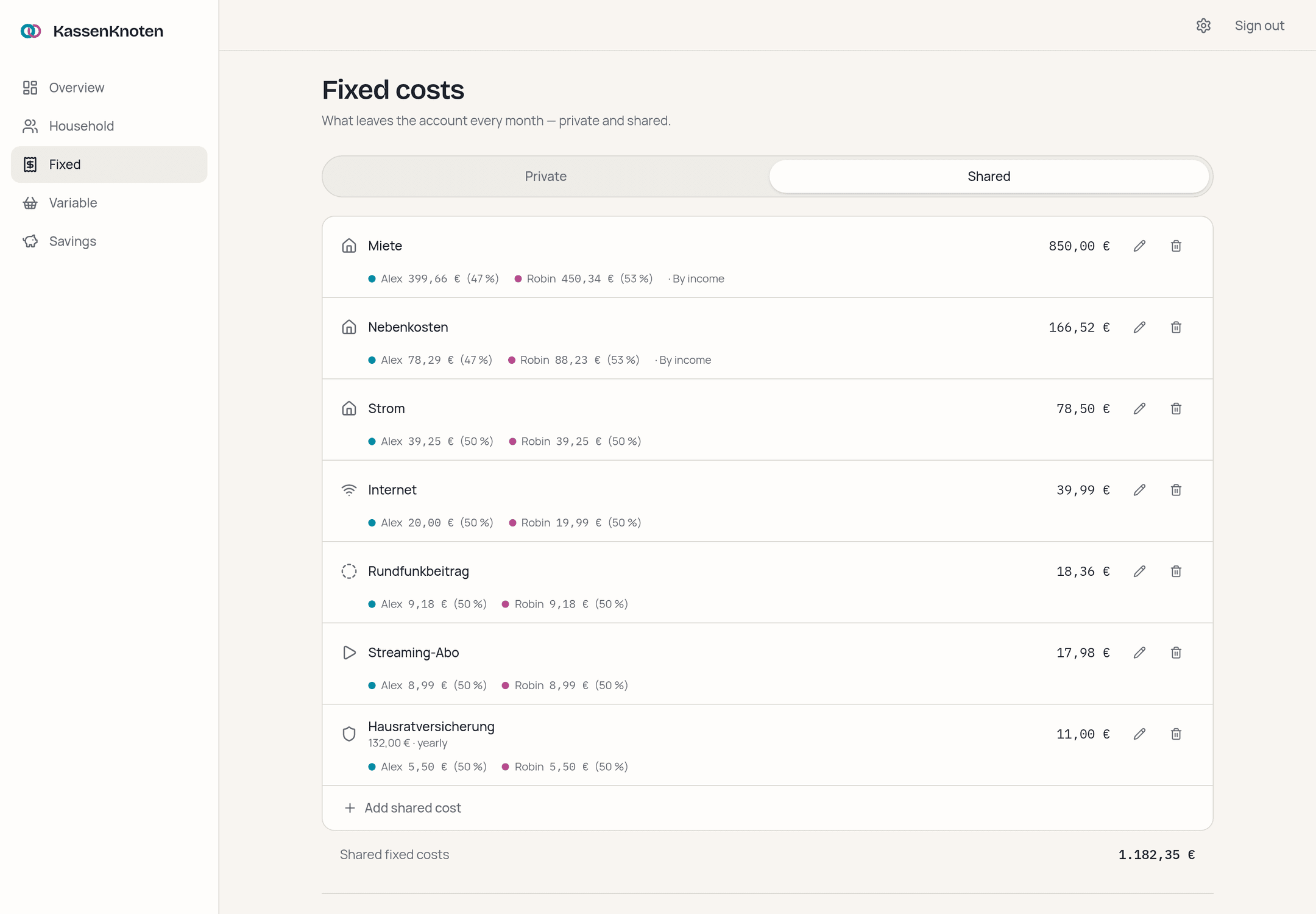
Shared fixed costs
Every shared item shows both shares in euros and percent, and which rule produced them. The split is previewed as you type, by the same function that later saves it — a preview that calculates a second way is a preview that can disagree with the result.
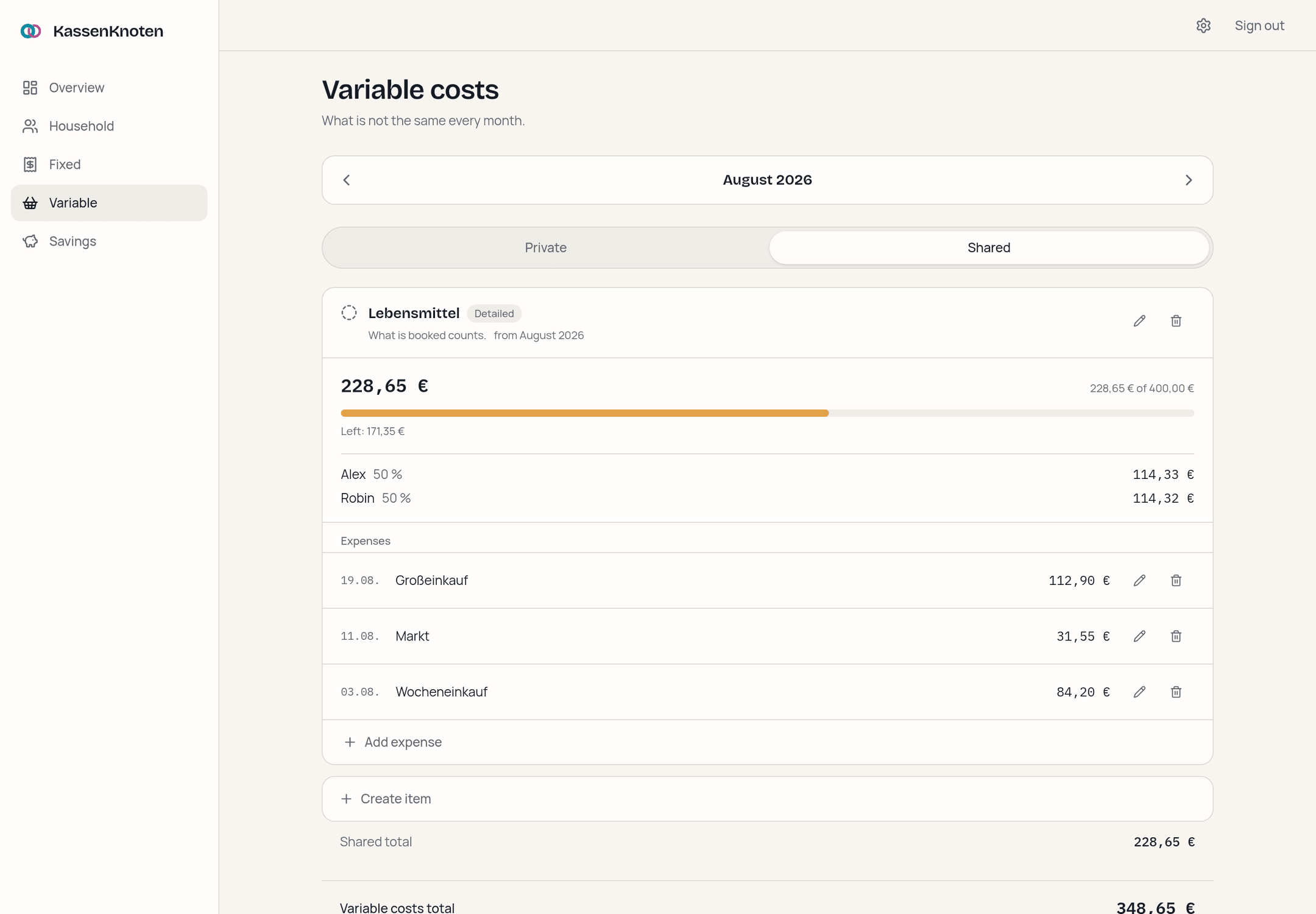
Variable costs
Anything that is not the same every month gets a budget — and you decide per budget how it is kept. Plan counts the figure you set and asks nothing more. Detailed counts what was actually booked, every expense with its date.
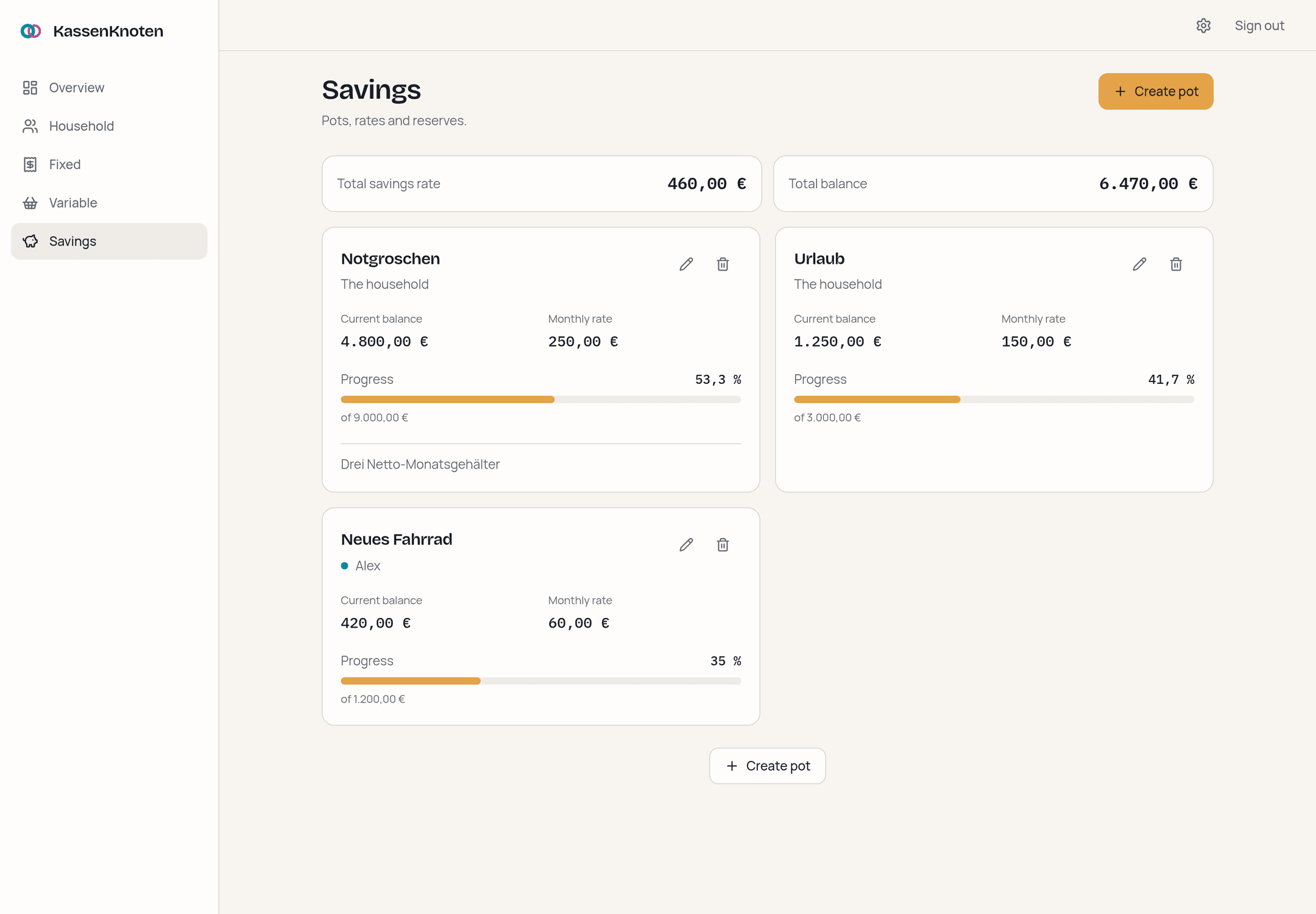
Savings
Pots with a rate, a balance and an optional target. Progress is a bar rather than mental arithmetic — and when a pot passes its target, the overview says so kindly.
On a phone
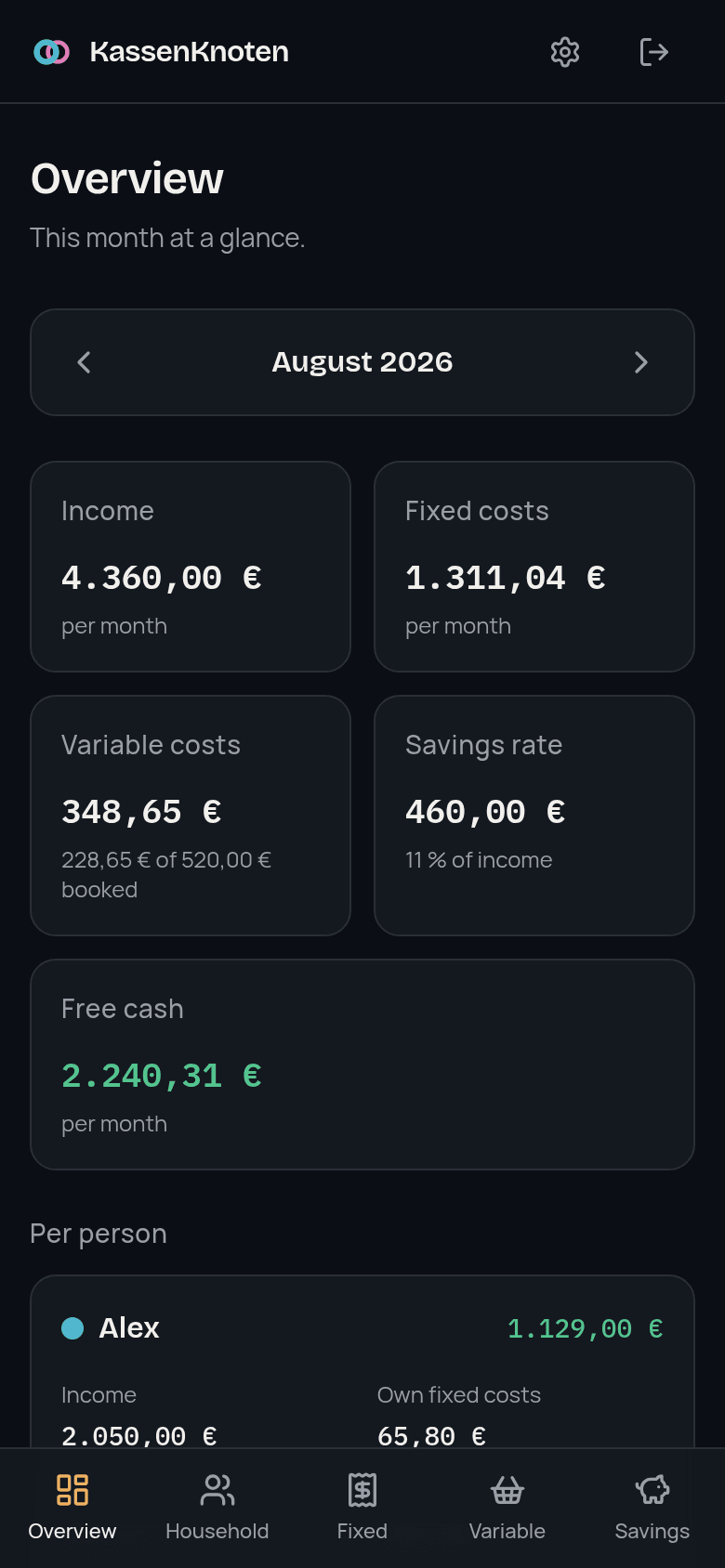
A household plan gets opened in the kitchen, not at a desk. Same features, navigation within thumb reach, an amount field that brings up the number pad, and a design that follows the system theme.
Security
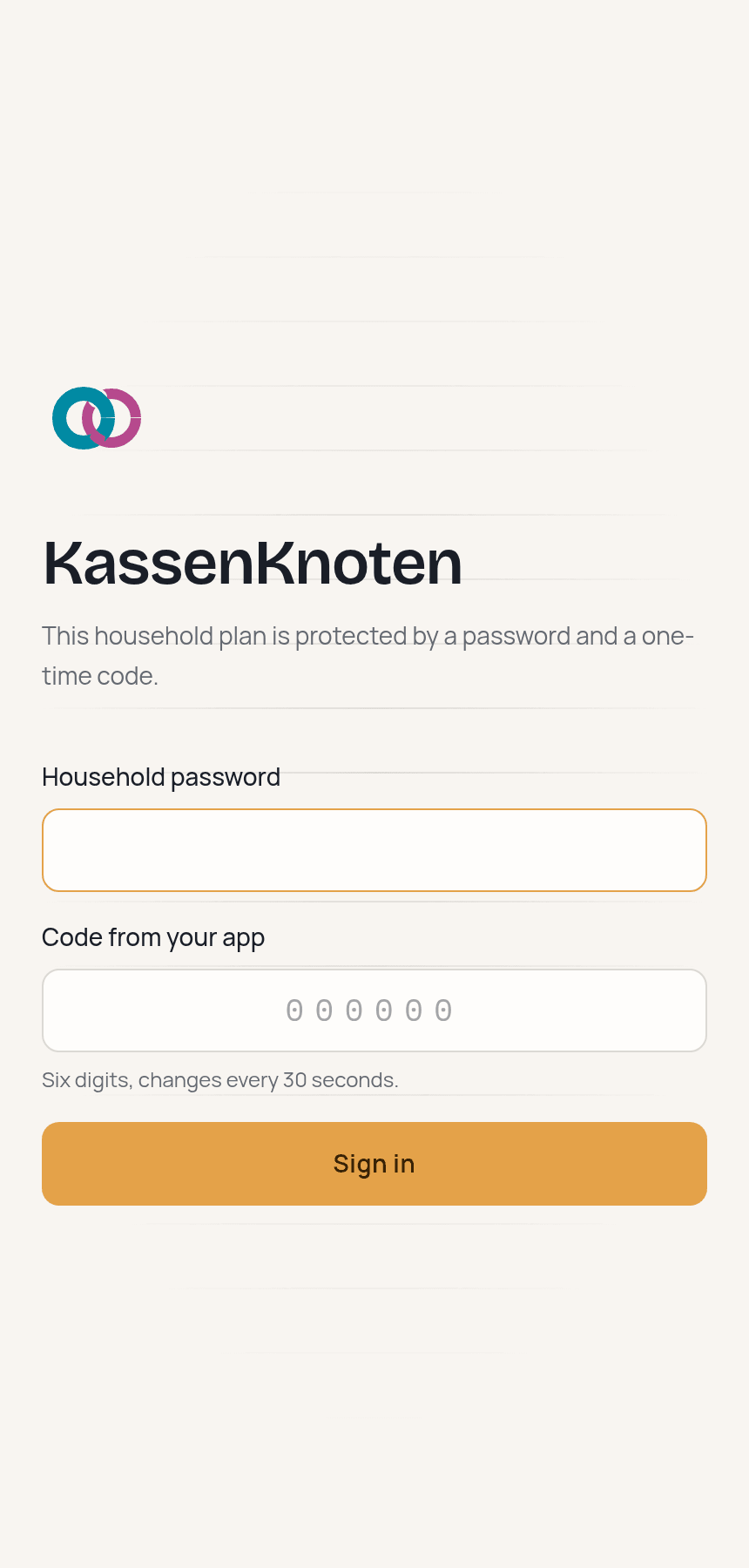
One household password, hashed with argon2id and read from the environment — a copy of the database is not a copy of the password. Optionally a code from any authenticator app (TOTP, RFC 6238). A code that has been used is refused.
The session cookie is encrypted, not merely signed (JWE, A256GCM), httpOnly, SameSite=Lax und Secure over HTTPS.
Every route but the login and the health check requires a session — deny by default, so a new page cannot accidentally be public. Server actions check again themselves.
A Content-Security-Policy with a per-request nonce, self-hosted fonts, no CDNs, no telemetry. The container runs as an unprivileged user.
Self-hosting
No checkout, no Node, no build: the image is published for amd64 and arm64, so a Raspberry Pi is as much a target as a NUC. Download two files, generate two secrets — the scripts for that run inside the image — and start. The database is created and migrated on first use.
mkdir kassenknoten && cd kassenknoten
curl -LO https://github.com/jankln/KassenKnoten/releases/latest/download/docker-compose.yml
curl -L -o .env https://github.com/jankln/KassenKnoten/releases/latest/download/env.example

# a session secret
echo "SESSION_SECRET=$(openssl rand -base64 32)" >> .env

# your household password, hashed
docker run -it --rm ghcr.io/jankln/kassenknoten:latest \
  node scripts/hash-password.ts

# optional: a second factor, prints a QR code into your terminal
docker run -it --rm ghcr.io/jankln/kassenknoten:latest \
  node scripts/totp-secret.ts

docker compose up -d
Then open http://127.0.0.1:3000 — a three-step wizard sets up the household. For access from outside the machine, put a reverse proxy with TLS in front.